PHP · Self-hosted · v1.0.6

Restaurant Pro.
QR menu, live kitchen, zero apps.

Customers scan a QR code at their table. They order from their phone. The kitchen display updates in real time with audio alerts. No app downloads, no monthly fees, no per-transaction cuts. Install in under an hour.

Get Restaurant Pro Try live demo One-time · $79
Restaurant Pro Kitchen Display
— Live demo

Test the entire flow right now

Open the admin and the kitchen display side by side. Then scan a QR from the Tables page with your phone to order as a customer.

demo@borntostream.com · Demo1234!
Open admin
— Built for service

A real restaurant system, not a toy

Every feature exists because waiting staff, kitchens, and owners asked for it. No bloat, no enterprise nonsense.

QR menu system

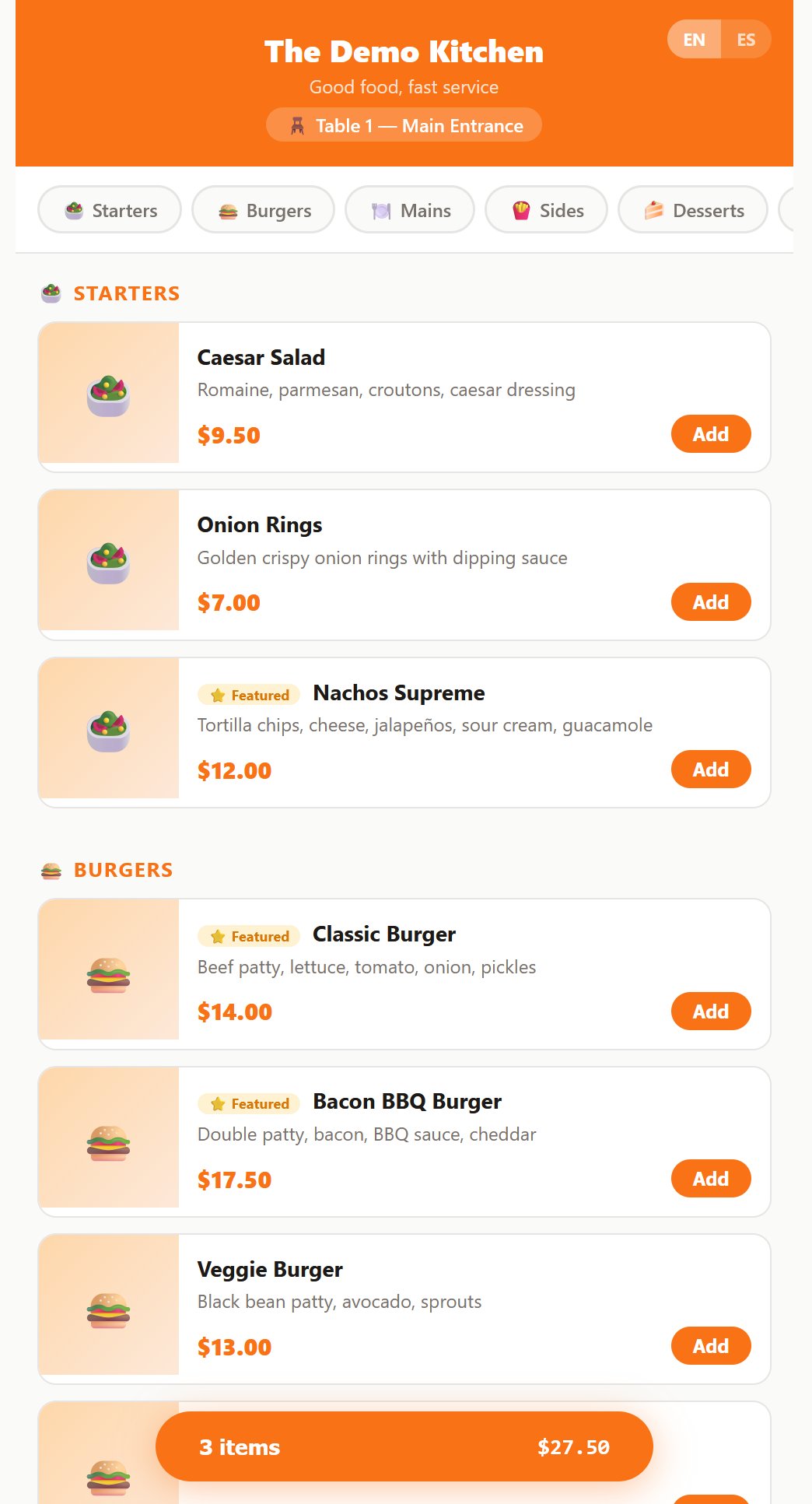
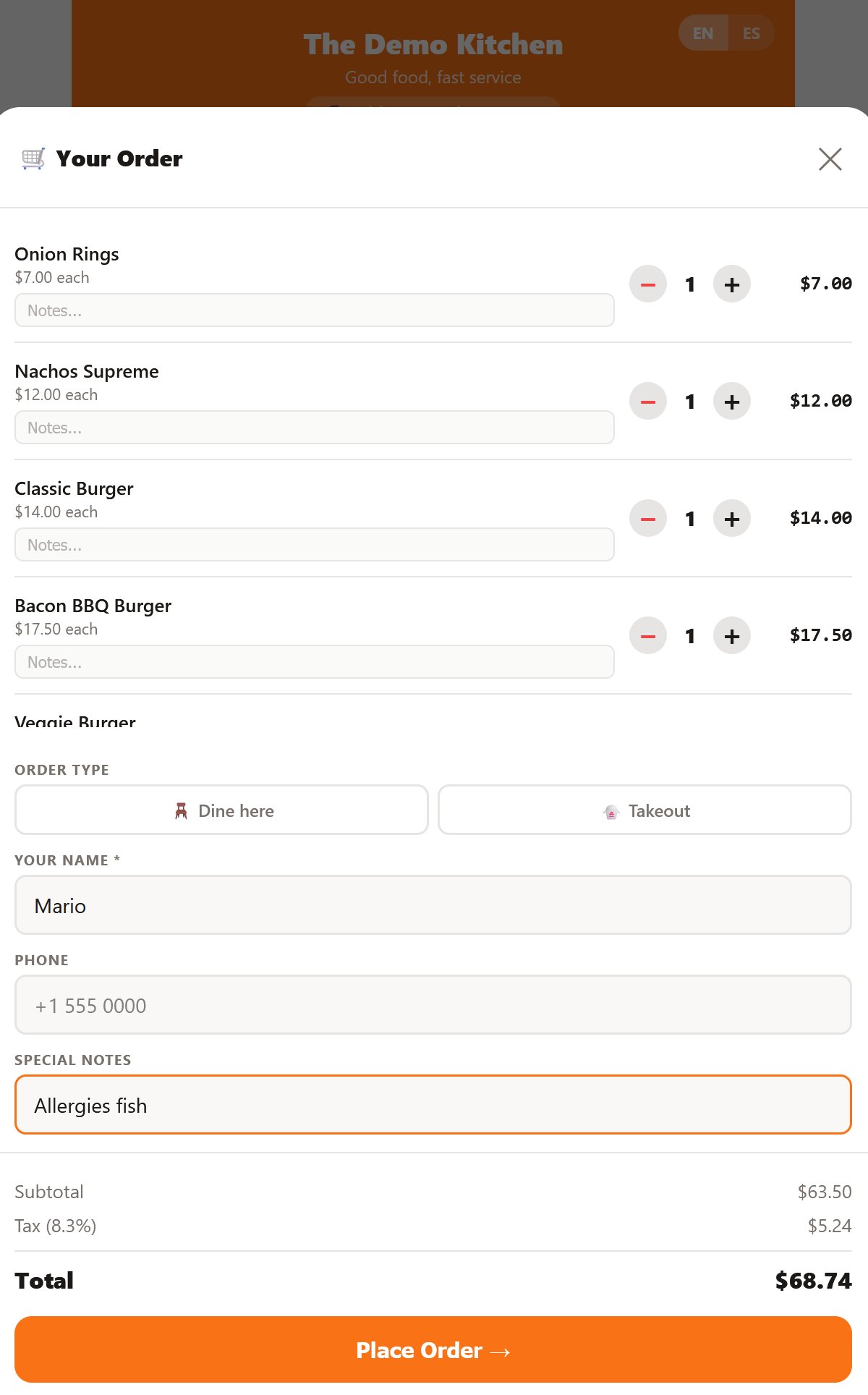
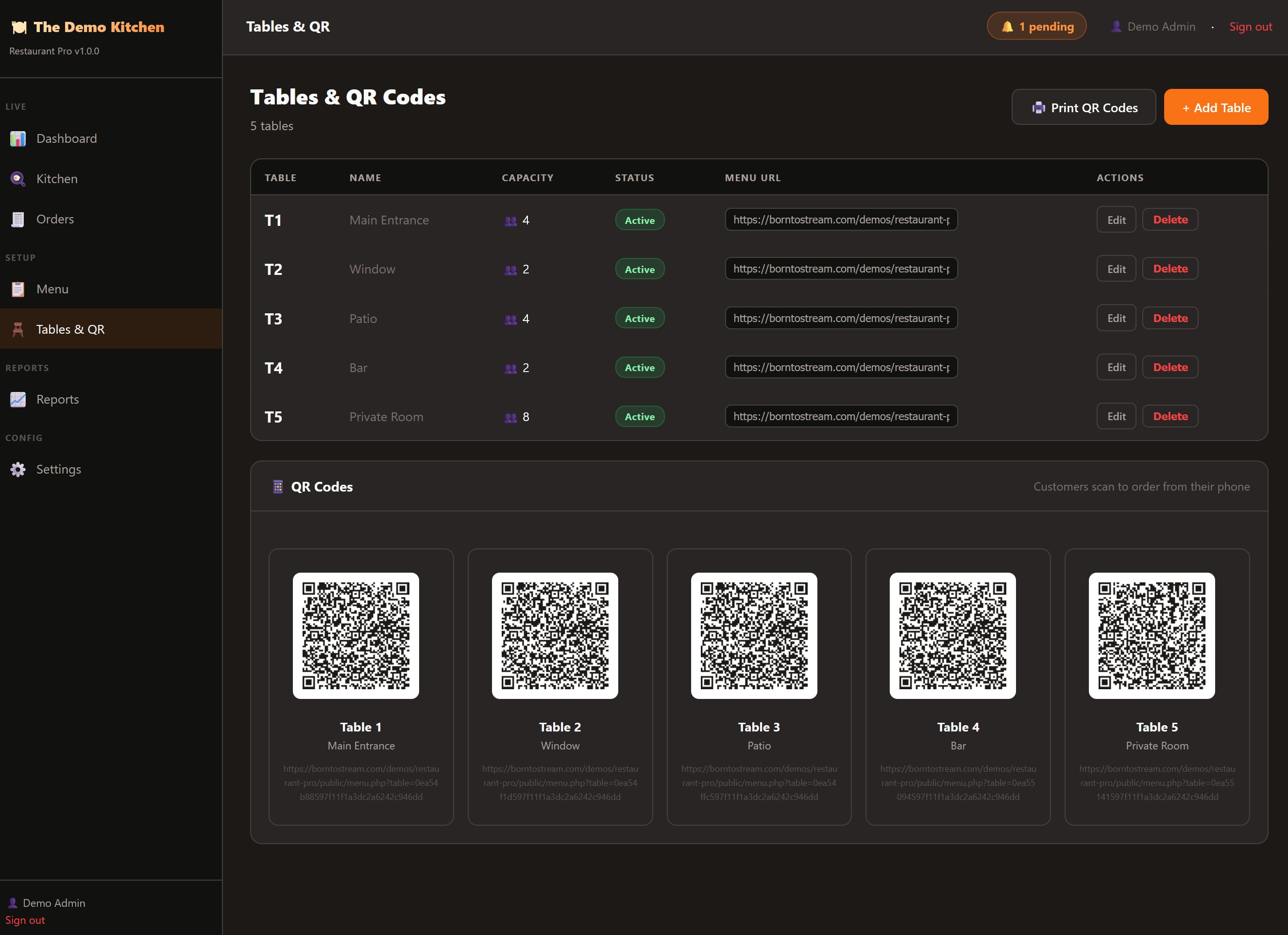
Unique QR per table. Customer scans and the mobile-optimized menu opens instantly. No app, no login, no friction.

Live kitchen display

Order cards appear in real time with audio alerts. One-tap status updates: Confirmed → Preparing → Ready → Delivered. Reverse if you mistake.

Real-time tracking

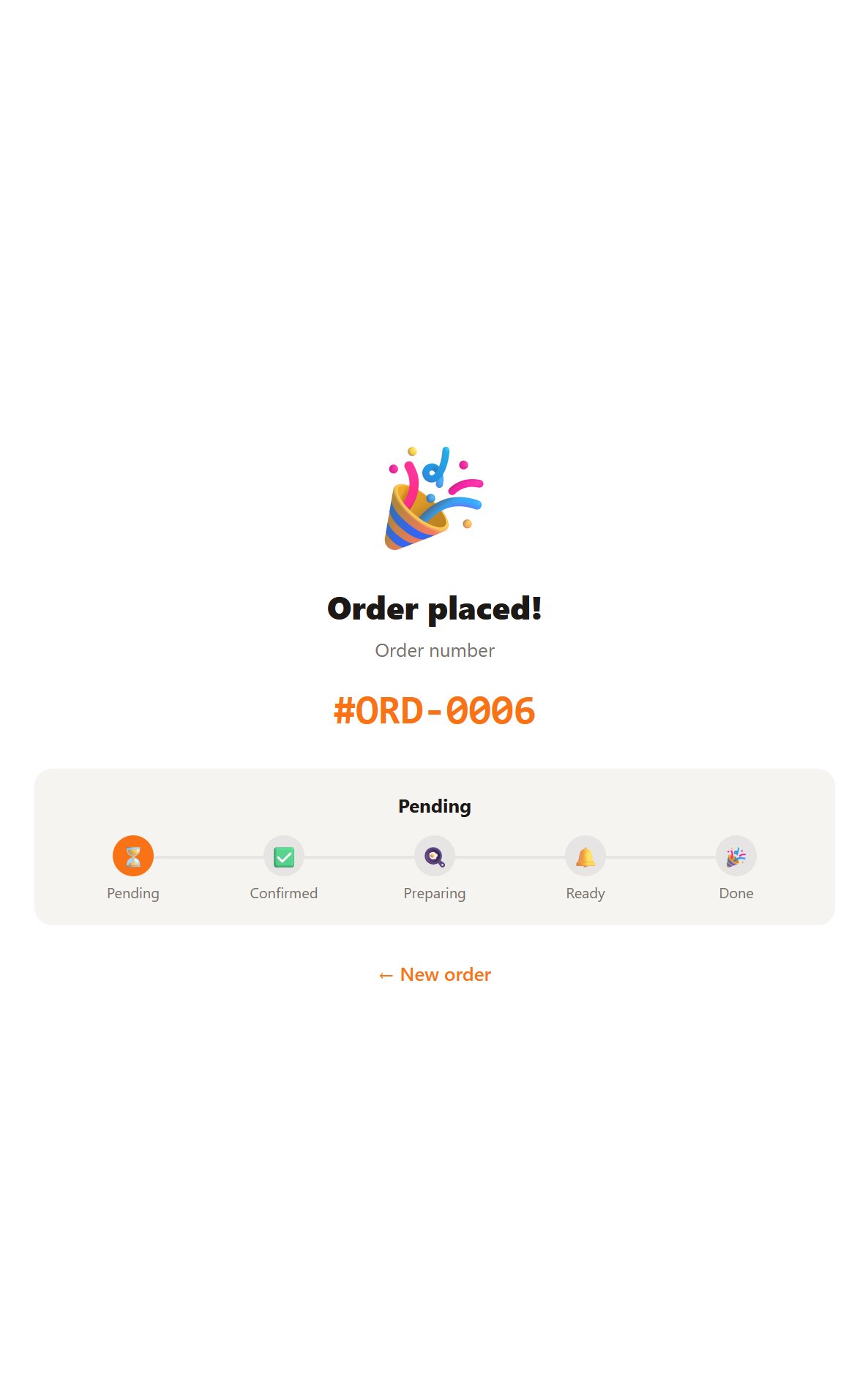
Customers see their order status update live on their phone. No back-and-forth with waiters asking "is it ready yet?"

Reports that matter

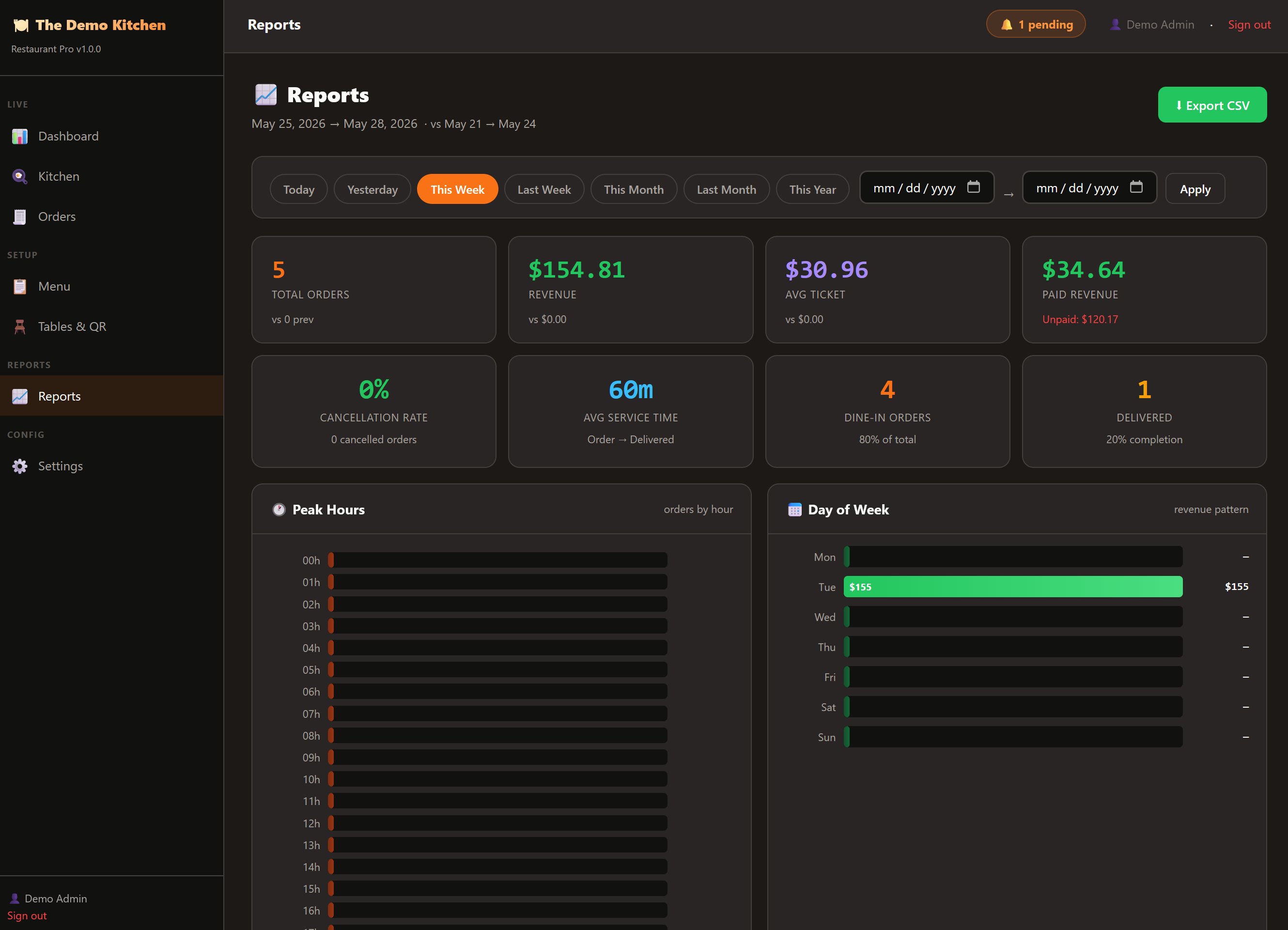
Peak hours, day-of-week patterns, top items by units and by revenue, cancellation rate, average service time. CSV export with 8 sections.

Bilingual

Full English and Spanish UI for staff and customers. Each menu item has translations. Customer picks the language on their phone.

Mobile-first design

The customer menu is designed for phones, not desktops. Big tap targets, fast loading, optimized images. Works on any browser.

— Look inside

Every screen, polished

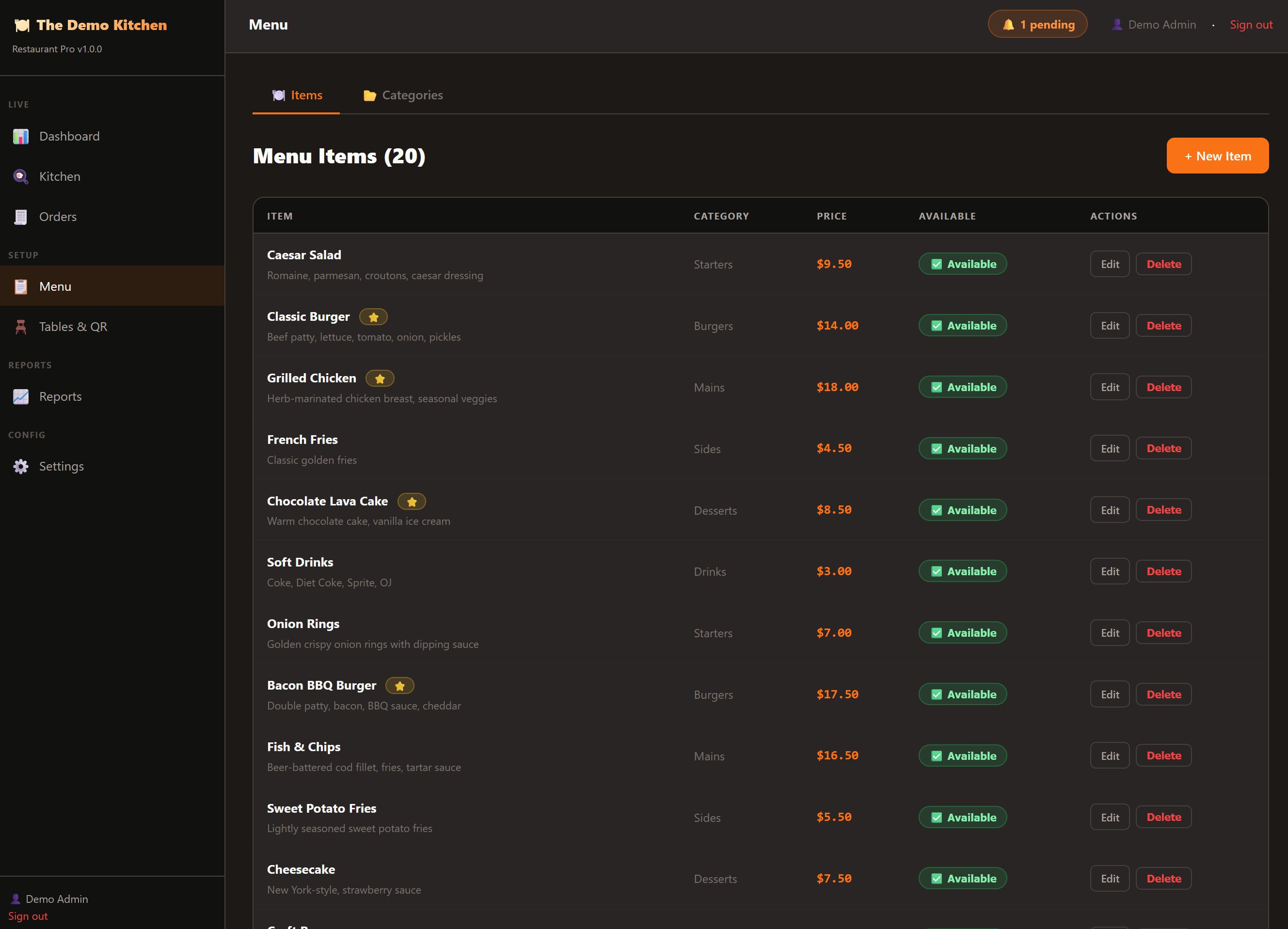
Both admin and customer interfaces. Tested in real service.

— How it works

From scan to kitchen in seconds

→ 01

Customer scans the QR

Print one QR per table. Customer points their phone camera at it. The mobile menu opens. No app install. No account.

→ 02

Browse and order

Full menu with photos, descriptions, and prices. Add items to cart, add optional notes, choose dine-in or takeout, submit.

→ 03

Kitchen sees it instantly

Audio alert. Order card appears on the kitchen display. Staff taps to confirm, prepare, mark ready. Customer's phone updates live.

— Specs

What you get

Included

  • Full PHP source code — uncompiled, editable
  • Web installer wizard — no terminal needed
  • Admin dashboard with full order management
  • Kitchen display with audio alerts
  • Mobile customer menu (EN/ES)
  • Reports with CSV export
  • Documentation in English and Spanish
  • Free updates for life

Requirements

  • PHP 8.1+ with standard extensions
  • MySQL 5.7+ or MariaDB 10.3+
  • Any shared hosting — DreamHost, cPanel, SiteGround, etc.
  • No special extensions required
  • ~30 minutes to install and configure
  • Printer for QR codes (any home printer works)
— Common questions

FAQ

Do I need a tablet or special hardware?
No. The kitchen display runs in any browser — on a tablet, laptop, monitor, or even an old phone. The customer menu runs on the customer's phone, no install needed.
Does it handle payments?
No. Restaurant Pro manages orders and kitchen workflow. Payment happens however you already handle it — cash, card terminal, mobile payment. The admin lets you mark orders as paid for tracking.
Can the customer see when their order is ready?
Yes. After placing an order, the customer's phone shows a live status screen that updates as the kitchen progresses (Confirmed → Preparing → Ready). Even if they refresh or come back later, they see their current status.
Can I install it on multiple restaurants?
Yes. The license allows installation on any number of your own restaurants, or on a client's server if you build it for them. Each installation is independent.
Does it work offline?
Once installed, the admin and kitchen work over your local network. Customers need internet to scan and order (they're connecting to your web server). For full offline operation, you can host on a local server within the restaurant.
What if I want to add or remove features?
You have full access to the PHP source code. Modify whatever you need. There's no obfuscation or licensing checks blocking you.
— Ready to upgrade service?

Skip the $200/month POS

Complete ordering and kitchen system, your server, your code, your data. No subscriptions. No per-transaction fees.

$79 USD
One-time payment · Lifetime updates · Instant download
Get Restaurant Pro